

In part two of creating my online class, I focused on the overall design. This week I had to answer how I would input assignments and materials? What would this look like? What is going to be easiest for my students?
At first I started to just put all my assignments and materials in. As I started to do this, I felt as though the main page would get messy. So I decided to create folders for each Unit. Here is a look of what my main page looks like.
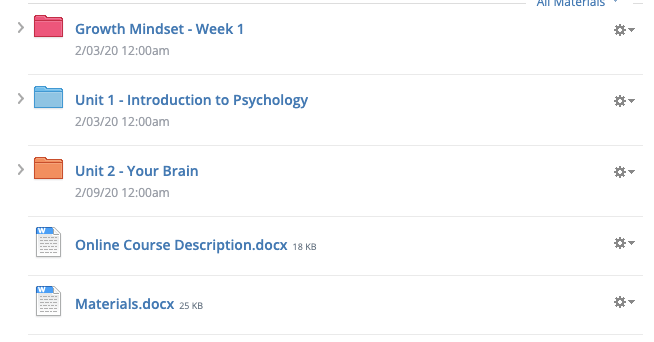
To me this seems well organized and easy to navigate for students. Which is what I wanted. When you click on the folder it then opens up to a detailed outline of requirements. Here is what a Unit folder looks like.
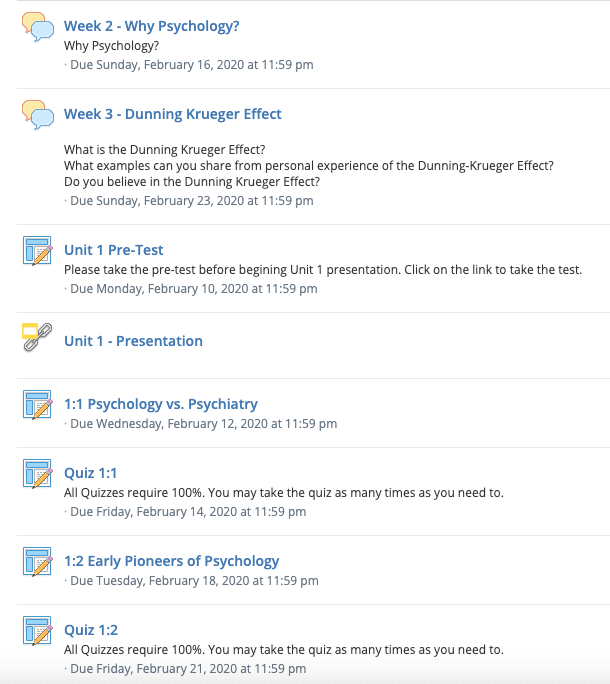
This week I posted 50% of the class materials. Next week I will be posting the last 50%. I will also be finalizing my online class. The finishing touches will all be in place. If you would like to see my progress you may connect my joining my class.
https://app.schoology.com/course/2347775099/materials
Code: CWTP-CC49-Z3KN3
 leigh4education.school.blog